







How to Find a Gaming Chair for Women: Tips & Best Picks
Shopping for a gaming chair sounds simple, until you find one that doesn't quite fit. When choosing a gaming chair for women, comfort isn't just about how soft the seat feels. Seat height, seat depth, usable seat width, lumbar support, and adjustability all affect how well a chair fits your body and the way you actually sit.
This is especially important if you're petite or shorter, have wider hips or thighs, or prefer sitting cross-legged or with one leg tucked up. A chair that's too deep can leave your feet unsupported, while a narrow seat or rigid side bolsters can make it difficult to change positions comfortably. And while pink, pastel, and other stylish designs may be appealing, color alone doesn't determine whether a chair is a good fit.
So, what makes the best gaming chair for women? In this guide, we'll break down the key dimensions, ergonomic features, and sitting preferences to consider before you buy. You'll also find practical tips for petite users and short women, plus our top gaming chair picks to help you find a setup that feels right for you.

Common Pain Points Women Face with Gaming Chairs
Before choosing a gaming chair, it helps to identify what usually makes a chair uncomfortable. The most common issues come down to fit, support, and sitting style.
| Common Pain Point | Why It Happens | What It Can Affect |
|---|---|---|
| Chair feels too large | Seat height or depth is too high or long | Feet may not reach the floor; lumbar support may not align |
| Chair feels too narrow | Limited usable seat width or restrictive side bolsters | Pressure around the hips and thighs; less freedom to move |
| Hard to sit cross-legged | Raised side bolsters or a heavily contoured seat | Restricts leg-tucking and other flexible sitting positions |
| Lumbar support feels misplaced | Fixed or poorly positioned lumbar support | Lower-back support may not match your posture |
| Headrest feels uncomfortable | Fixed position or shape doesn't match your body | Neck pressure or poor head support |
| Chair feels unstable | Casters or base don't suit the floor or movement | Less stability when shifting or reclining |
What Women/Girl Gamers Should Look for in a Gaming Chair
Comfort starts with fit and adjustability. Rather than choosing a chair based only on its size label or appearance, look at the dimensions and features that affect how your body sits and moves. This is especially important if you're petite or short, have wider hips or thighs, or prefer flexible sitting positions.

1. Seat Height, Seat Depth, Seat Width, and Backrest Height
The right dimensions are the foundation of a comfortable gaming chair. Four measurements deserve particular attention: seat height, seat depth, usable seat width, and backrest height.
| Dimension | What to Look For | Why It Matters |
|---|---|---|
| Seat height | Feet can rest comfortably on the floor | Helps maintain a stable sitting position |
| Seat depth | About 2–3 inches between the seat edge and the back of your knees | Prevents excessive pressure behind the knees and helps maintain back support |
| Usable seat width | Enough room for your hips and preferred sitting position | Reduces pressure and gives you more freedom to move |
| Backrest height | Supports your back without pushing your head or neck forward | Helps the backrest and headrest align with your body |
Quick Fit Check: Don't rely on "L" or "XL" labels alone. Compare the chair's actual dimensions with your body measurements and a chair you already find comfortable.
- Petite or short: Prioritize a low minimum seat height and shorter seat depth. Make sure your feet can reach the floor, and the lumbar and headrest areas align with your body.
- Wider hips or thighs: Check the usable seat width, not just the overall chair width. Raised side bolsters can reduce sitting space and restrict movement.
- Flexible sitting: If you like sitting cross-legged or tucking one leg up, look for a flatter seat with less restrictive side bolsters.

If possible, test the chair in person. Otherwise, compare its published dimensions carefully before buying.
2. Lumbar Support and Recline Tension
Lumbar support should meet your lower back where you naturally need it, not just press against a fixed point. Look for adjustable or pop-out lumbar support that can provide a more precise fit, especially if you find fixed lumbar pillows difficult to position comfortably.
Useful features include:
- Adjustable or pop-out lumbar support: Provides more precise positioning to better match your lower back.
- Dynamic lumbar systems: Respond as you change posture, helping maintain support as you move.
- Adjustable recline tension or self-adaptive resistance: Allows smoother movement between upright and reclined positions.

Recline tension is easy to overlook. If the resistance is too high, leaning back can feel difficult rather than natural. An adjustable or self-adaptive system lets the chair respond more comfortably to different body weights and sitting preferences.

3. Armrests and Headrest
Armrests affect how naturally your shoulders and arms rest while you're gaming or working. Look for height, depth, angle, or rotation adjustments, with side-to-side movement being an added advantage. More adjustability makes it easier to position the armrests without reaching too far or feeling cramped.
The headrest should support your head and neck without forcing them into a fixed position. An adjustable or tilting headrest offers more flexibility, particularly when you change between upright gaming, reclining, and other sitting positions.
4. Upholstery, Breathability, and Colors
The chair's materials affect both everyday comfort and the overall look of your setup.
- Leatherette: Easy to clean and offers a sleek, structured appearance.
- Fabric: Generally feels softer and can provide better breathability during longer sessions.
- Mesh: Prioritizes airflow and can be a practical choice if staying cool is more important than a traditional gaming-chair look.
Color is ultimately a matter of personal preference, not a measure of whether a chair fits women better. Pink, purple, white, green, orange, burgundy, pastel, and collaboration designs can all work depending on your setup and style. A chair doesn't need to look "feminine" to be a good gaming chair for women. Start with fit, adjustability, and comfort, then choose the color and design you actually like.
Our Picks: Best Gaming Chairs for Women - AndaSeat Kaiser 4 Series
Now that you know what to look for in terms of fit, support, and sitting style, it's easier to narrow down the options. Among AndaSeat's lineup, the Kaiser 4 stands out as a well-rounded choice for women who want adjustable ergonomic support without giving up on personal style.
The Kaiser 4 (L-size) is designed for users 150–180 cm (4'11"–5'11") and under 120 kg (265 lbs), while the XL is designed for 181–210 cm (5'11"–6'11") and 80–180 kg (176–397 lbs). These ranges provide a useful starting point, but you should still compare the actual chair dimensions with your own measurements—especially if you're petite or short.
What makes the Kaiser 4 a strong fit for this guide:
- 24° pop-out lumbar support: The 4-way adjustment provides 76 mm of up/down movement and 30 mm of in/out adjustment, making it easier to position the support where your lower back needs it.
- 6D armrests: Extensive adjustment gives you more flexibility to position your arms comfortably, whether you sit upright, recline, or change positions while gaming.
- Magnetic cooling memory foam head pillow: The magnetic design makes positioning more flexible than a fixed headrest, while the cooling memory foam adds support during longer sessions.
- 135° recline and 15° rocking: Useful when you want to shift between focused gaming, watching content, and more relaxed sitting positions.
- Multiple color options: The Kaiser 4 is available in a range of finishes, including pink, purple, green, orange, burgundy, and more, so you can match your setup without compromising on ergonomic features.

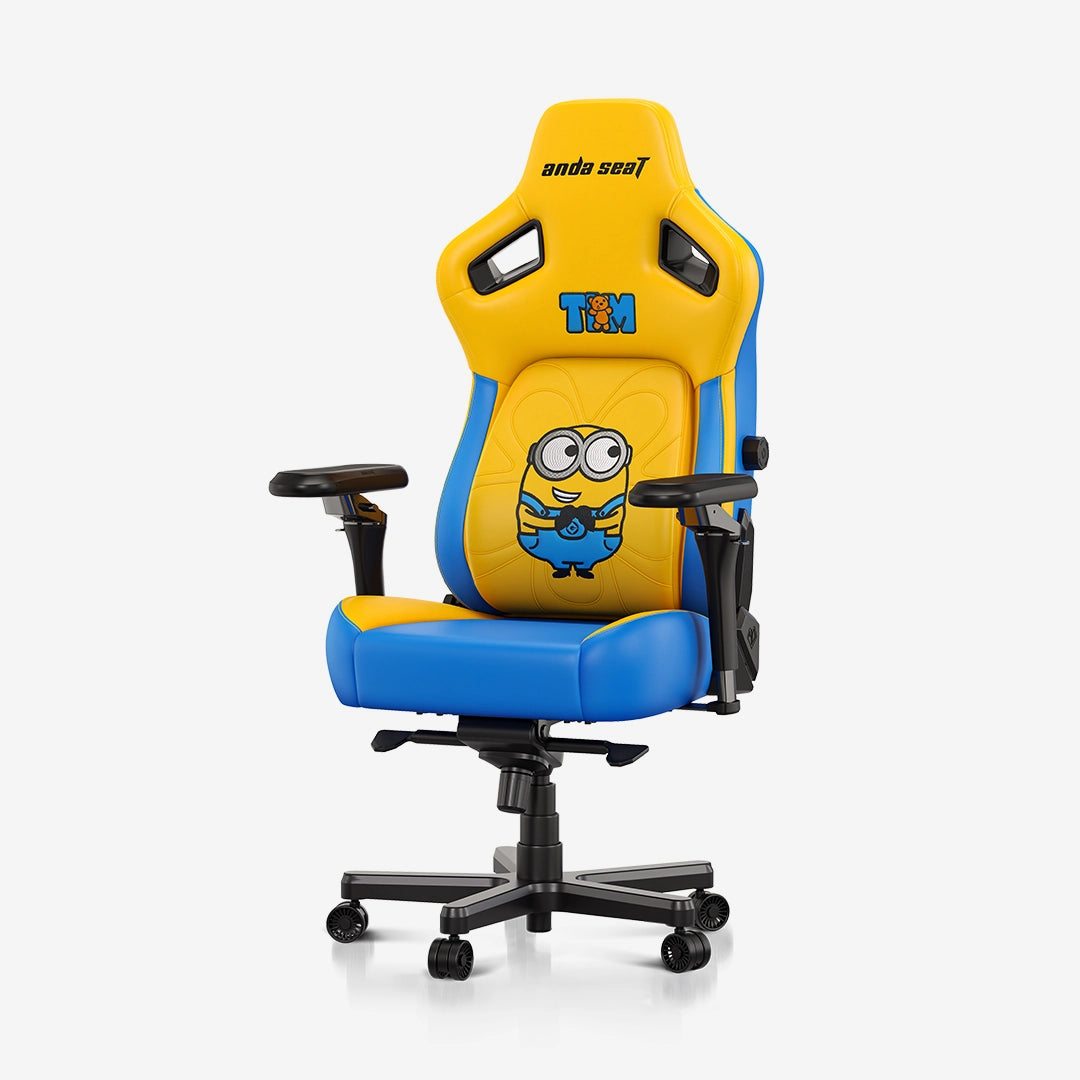
If you want a more playful or character-focused setup, the Kaiser 4 Minions Edition offers the same Kaiser 4 foundation with a distinctive Minions design. Just keep the sizing in mind: the XL version is intended for larger/taller users, so choose the collaboration design only after confirming the size fits your body.
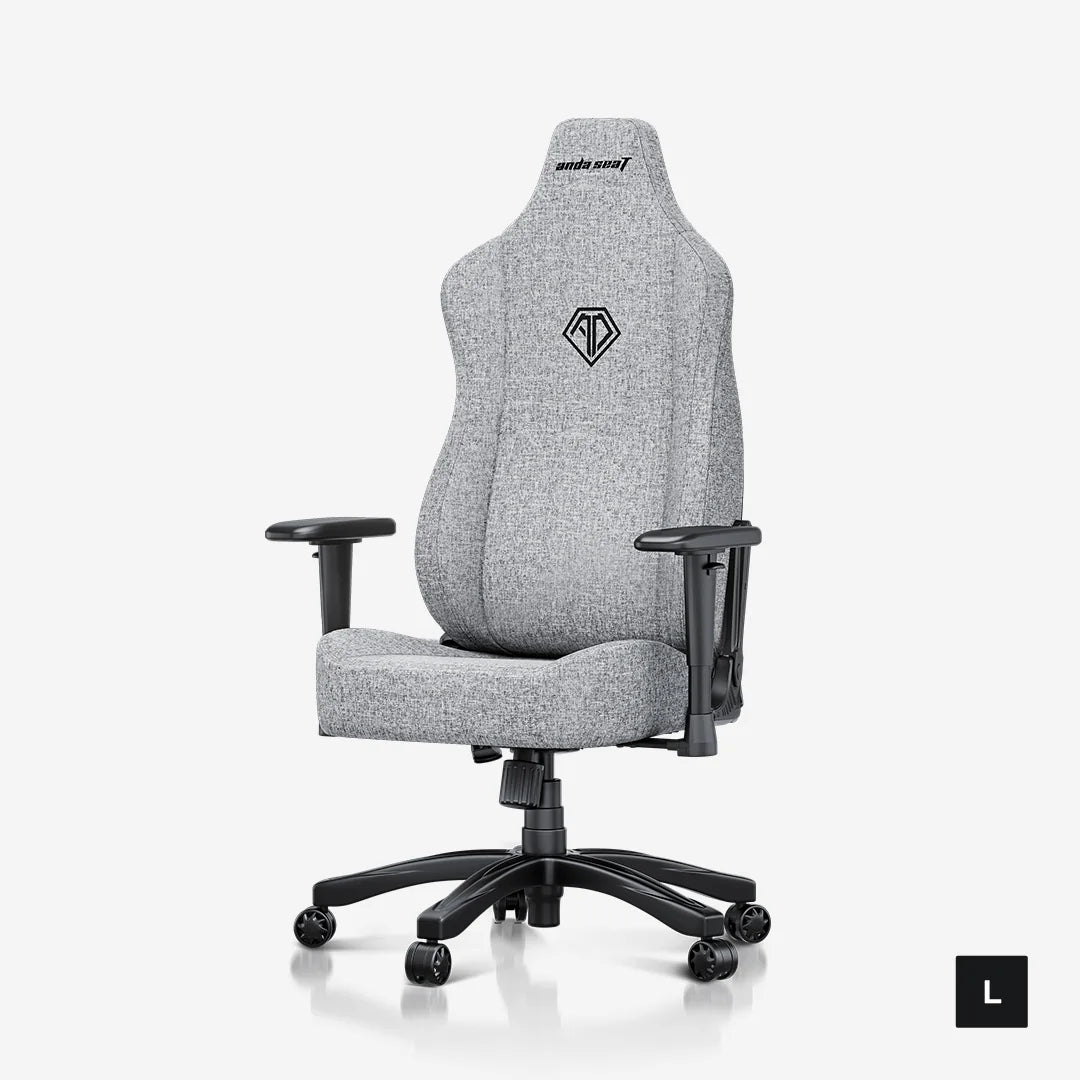
If you're looking for something more budget-friendly, the AndaSeat Novis remains a worthwhile alternative. Its relatively slimmer frame, flatter side bolsters, raised lumbar support, and height-adjustable armrests make it particularly suitable for users who like to change positions or sit cross-legged. It also offers a 155° recline, 15° rocking, and adjustable tilt tension. The Novis is currently available for pre-order, so check its current availability before purchasing.
Extra Tips for a More Comfortable Gaming Setup
A well-fitting gaming chair for women is only part of the equation. These simple habits can help you stay comfortable during longer gaming sessions:
- Use a footrest or cushion for extra support when sitting cross-legged or with your legs tucked up.
- Change your sitting position regularly to reduce stiffness and discomfort from prolonged sitting.
- Adjust your armrests and monitor height to help keep your shoulders and neck in a more comfortable position.
- Take a standing or walking break every 45–60 minutes to stretch, move around, and reduce fatigue.
Conclusion
Choosing the right gaming chair for women/girls is only the first step. The right fit, proper adjustments, and healthy sitting habits all contribute to a more comfortable gaming experience. For women in particular, choosing a chair that accommodates their body proportions, like AndaSeat Kaiser 4, and provides the right level of support can make long gaming sessions feel much more comfortable.