Desk & Chair Bundle
Save Up To $140
Enjoy ergonomic support built to work or play together.
Choosing a gaming chair isn't just about picking a design you like. The right chair should fit your body size, sitting habits, gaming setup, and budget, while providing the support and comfort you need for hours of gaming or work. But with so many options available, knowing what actually matters can be difficult. Does lumbar support matter more than adjustable armrests? Or, if you're tall or larger-built, what to look for in a chair?
In this guide, we'll break down the key factors to consider when choosing a gaming chair and explain which features are worth prioritizing based on how and where you use it. We've also selected 5 best gaming chairs for different needs, covering everything from overall performance and back support to big & tall sizing, breathability, and value. Whether you're upgrading your setup, looking for a gaming chair for long hours, or simply trying to get the most for your money, this guide will help you narrow down your options.

The right chair should match your body size, ergonomic needs, preferred materials, gaming habits, and budget. Start with these 5 dimensions to look for when buying a gaming chair that delivers the right balance of comfort, support, and long-term value.
A gaming chair should fit your body rather than force your body to fit the chair. Before comparing features, check the manufacturer's recommended height and weight range, as well as the seat width, seat depth, and backrest dimensions. If you're taller or heavier than average, look for a big and tall gaming chair with a wider seat, higher backrest, and stronger frame and mechanism. For smaller users, a chair that's too large can make it difficult to maintain proper posture and take full advantage of the lumbar and armrest adjustments.
If you spend several hours gaming or working at your desk, ergonomic support should be one of your top priorities. Instead of focusing on the number of adjustments alone, look for features that help maintain a comfortable posture throughout the day.
The best ergonomic gaming chair isn't necessarily the one with the longest feature list. What matters is whether those adjustments work together and fit your body.
The upholstery affects more than just how a gaming chair looks. It also influences breathability, maintenance, durability, and how the chair feels during everyday use.
There's no single best material for everyone. Consider your climate, cleaning habits, daily usage, and preferred feel before making a decision.
A chair can feel comfortable for 30 minutes but become uncomfortable after several hours. If you're looking for a gaming chair for long hours, pay attention to the details that affect sustained comfort, including the seat shape, foam density, lumbar support, recline range, and armrest positioning.
A supportive seat should distribute your weight without creating excessive pressure, while a well-padded backrest and adjustable support can help you change positions throughout a long session. It's also worth considering whether you'll use the chair for more than gaming, such as working, studying, or watching movies.
The most expensive gaming chair isn't automatically the best gaming chair for you. Instead, set a budget based on the features that will have the biggest impact on your daily experience. If you spend many hours at your desk, it may make sense to prioritize ergonomics, adjustability, build quality, and long-term comfort over cosmetic features. On the other hand, occasional gamers may not need to pay for every advanced adjustment. Think of your budget as a way to prioritize what matters most, not simply a limit on how much you can spend.
Based on the key factors above, we've selected 5 of the best gaming chairs for different needs, from overall performance and back support to breathability, customization, and value.
| Specifications | Details |
|---|---|
| Price | From $549 (before promotions) |
| Recommended Size |
L: 150–180 cm / <120 kg XL: 181–210 cm / 80–180 kg |
| Materials | Premium PVC Leather or Linen Fabric |
| Key Features | 24° Pop-Out Lumbar, 4-Way Lumbar Adjustment, 6D Armrests, Magnetic Head Pillow |
| Recline & Tilt | 135° Backrest Recline, 15° Rocking |
| Height Adjustment | 6.5 cm |
| Best For | Big & tall users, long gaming sessions, and highly adjustable setups |
If you want one gaming chair that covers the widest range of needs, the AndaSeat Kaiser 4 is a strong all-around choice, accommodating big & tall users from 150 to 210 cm tall and up to 180 kg. Its 24° pop-out lumbar support with any-angle locking and 4-way adjustment lets you fine-tune support to your preferred position. Combined with 6D armrests, a magnetic head pillow, high-density cold-cure foam, and a 135° reclining backrest, it is suitable for long gaming sessions and work.
However, the Kaiser 4 isn't without compromises. Some users may find the pop-out lumbar mechanism too prominent, while others feel the armrests sit too far forward, particularly when reclining. But overall, the Kaiser 4 prioritizes adjustable support, spacious comfort, and big-and-tall fit over an ultra-firm or highly minimalist ergonomic design, which is good enough for extended gaming and everyday use.
| Specifications | Details |
|---|---|
| Price | From $649.99 |
| Recommended Size | 160–200 cm / <136 kg |
| Upholstery | Gen-2 EPU Leather |
| Key Features | Lumbar Support, Dual-Density Cold-Cured Foam, 4D Armrests, Memory Foam Headrest |
| Recline & Tilt | Reactive Seat Tilt, Up to 152° Recline |
| Frame & Base | Steel Frame, 5-Star Aluminum Alloy Wheelbase |
| Best For | Back support, long gaming sessions, and users who prefer a spacious seat |
The Razer Iskur V2 is a premium gaming chair built around its adaptive 6D lumbar support, which adjusts to your body while allowing you to fine-tune its position. It also features a wide backrest, 4D armrests, a memory foam headrest, and up to 152 degrees of recline. Reviewers generally praise its build quality, lumbar adjustability, and spacious seating, making it a solid choice for taller or broader users.
The main drawback is its fixed 450mm seat depth, which may provide less thigh support than some competitors, especially for taller users. The thick cushioning can also feel warm during long sessions, and the strapped headrest may shift out of position. While many owners report good long-term experiences, some user reviews mention durability issues and warranty replacements, so reliability appears to vary by unit.
| Specifications | Details |
|---|---|
| Price | From $499.99 |
| Recommended Size | Up to 201 cm / 150 kg (330 lbs) |
| Upholstery | High-Tech Faux Leather, Faux Leather, or Fabric |
| Key Features | Integrated Adjustable Lumbar Support, 4D Armrests, Cold-Foam Cushioning |
| Recline & Tilt | 90°–125° Backrest Recline, 11° Seat Tilt |
| Frame & Base | Steel Frame, Aluminum Alloy Base, 60 mm Casters |
| Best For | Customizability, firm ergonomic support, and taller users |
The noblechairs LEGEND is a premium gaming chair combining extensive adjustability with a firm, supportive feel and a refined, luxury-inspired design. Its adjustable lumbar support, armrests, 90°–125° recline, and 11° tilt offer plenty of control, while cold-foam cushioning, a steel frame, aluminum base, and quiet casters provide solid support for long gaming or work sessions.
However, its large proportions make it better suited to taller users, while firm cushioning may feel rigid if you prefer softer chairs. Some reviewers also noted minor armrest play and a lumbar adjustment dial that sits slightly high. At this price, its firm feel and gaming-focused design may not appeal to buyers seeking softer comfort or a traditional ergonomic office chair.
| Specifications | Details |
|---|---|
| Price | From $742.50 |
| Recommended Size | One size / Up to 350 lbs (158.8 kg) |
| Upholstery | Post-Consumer Recycled Polyester Fabric |
| Key Features | Adjustable Lumbar Support, Adaptive Thoracic Support, Adjustable Headrest, Flexible Armrests |
| Recline & Tilt | Active Forward-Leaning Alignment, Up to 117.1° Recline |
| Frame & Base | Glass-Filled Nylon Frame & Base |
| Best For | Breathability, ergonomic posture, and long gaming or work sessions |
The Herman Miller x Logitech G Vantum is a premium ergonomic gaming chair built around an active, forward-leaning posture and breathable suspension backrest. Its adjustable lumbar support, adaptive thoracic support, adjustable headrest, and flexible armrests provide strong ergonomic support for long gaming or work sessions.
However, its large proportions make it better suited to taller users, while firm cushioning may feel rigid if you prefer softer chairs. Some reviewers also noted minor armrest play and a lumbar adjustment dial that sits slightly high. At this price, its firm feel and gaming-focused design may not appeal to buyers seeking softer comfort or a traditional ergonomic office chair.
| Specifications | Details |
|---|---|
| Price | From $349.00 |
| Recommended Size | 155–210 cm / Up to 120 kg |
| Upholstery | Premium PVC Leather or Linen Fabric |
| Key Features | Integrated 4.8cm Lumbar Curve, 60 kg/m³ Cold-Cure Foam, 4D Armrests |
| Recline & Tilt | Up to 155° Recline, 15° Rocking |
| Frame & Base | 100% Steel Frame, Iron Base (L) / Aluminum Base (XL) |
| Best For | Value-conscious buyers, firm support, and users who prefer a simpler ergonomic design |
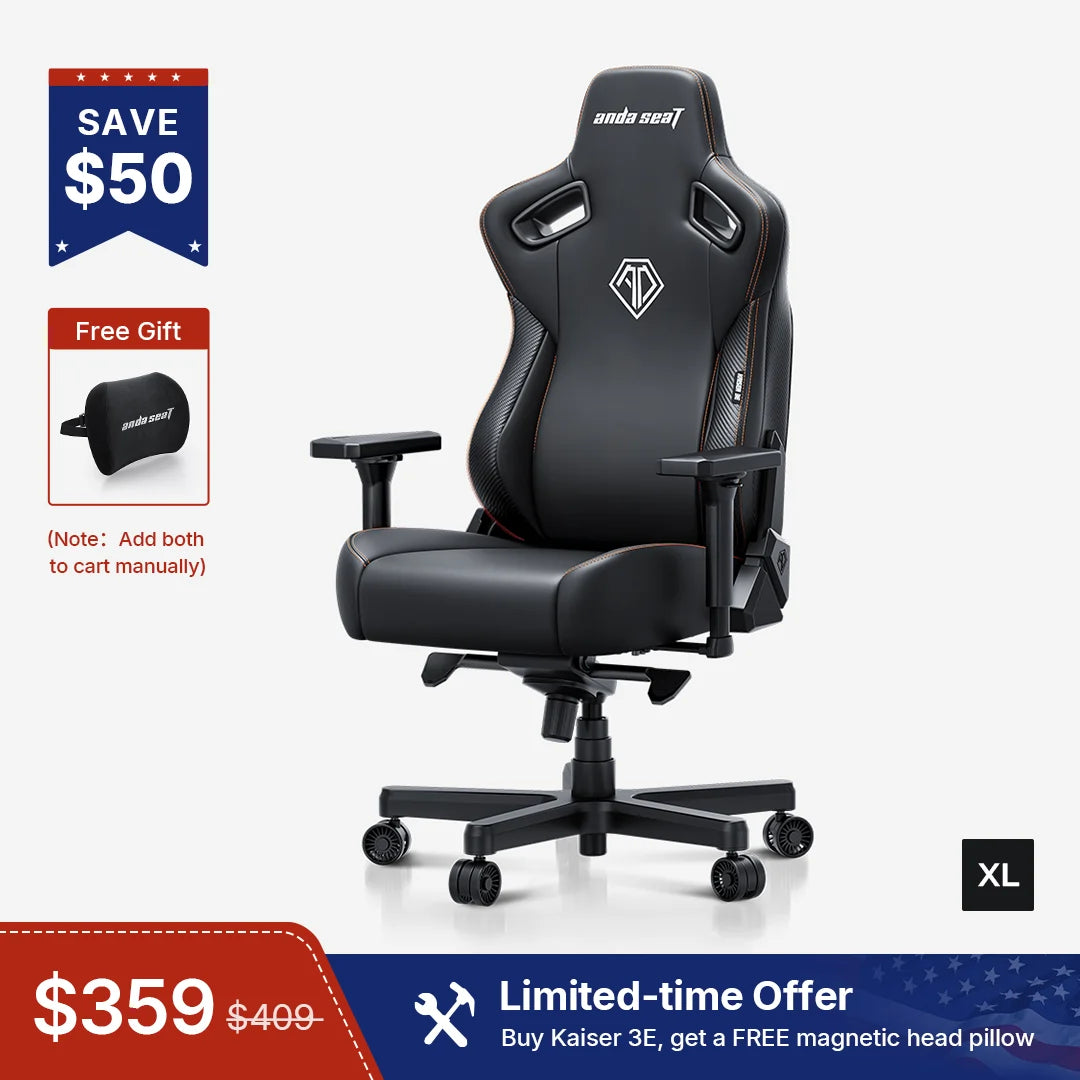
The AndaSeat Kaiser 3E is a value-focused gaming chair that keeps things simple while covering the essentials for gaming or work. Its 60 kg/m³ cold-cure foam seat, integrated 4.8cm lumbar curve, 4D armrests, and up to 155° recline provide a firm, supportive feel without the more complex adjustment systems of higher-end models. Its sturdy construction, comfortable upholstery, easy assembly, and L/XL sizing make it a practical option for a wide range of users.
The main trade-off is the fixed lumbar support, which offers less customization for different body shapes and preferences. The firm seat may also feel less plush than softer chairs, while the magnetic head pillow is sold separately. The PVC leather upholstery can feel grippy against clothing, whereas the linen option offers better breathability. Overall, the Kaiser 3E suits buyers seeking solid comfort, essential adjustability, and a durable build at a lower price, rather than extensive ergonomic customization.
There's no single best gaming chair for everyone. The right choice depends on your body size, preferred sitting feel, ergonomic needs, budget, and how you use your chair. Based on the strengths and trade-offs above:
Ultimately, fit matters more than features alone. A chair with fewer adjustments can be a better choice if its seat dimensions, lumbar shape, and cushioning match your body and preferences. If possible, check the chair's size specifications and return policy before buying, especially when choosing between different seat designs and ergonomic approaches.
A well-designed gaming chair can improve support, adjustability, and comfort during long periods of sitting, but a gaming chair is not automatically better than an office chair. The best choice depends on your body, posture, and sitting habits. See our [Gaming Chair vs. Office Chair] guide for a detailed comparison.
Look for a chair that fits your body size, sitting style, and daily needs. Key factors include seat width and depth, weight capacity, lumbar support, adjustability, cushioning, upholstery, recline range, and overall build quality. If you sit for long hours, prioritize proper support and adjustability over appearance alone.
Start with the chair's recommended height and weight range, then check the seat width, seat depth, and seat height against your body measurements. A chair that is too large may lack proper support, while one that is too small can feel restrictive. If you are between sizes, consider your preferred seat space and sitting position as well.
A good gaming chair can cost anywhere from around $200 to $500 or more, depending on its materials, adjustability, and build quality. Budget models can cover the basics, while mid-range and premium chairs typically offer better materials, more adjustment options, or longer warranties. A higher price does not necessarily mean a better fit.
There is no single best gaming chair for everyone. The right choice depends on your body size, comfort preferences, ergonomic needs, and budget. If you're looking for a highly adjustable gaming chair with advanced lumbar support that perfectly fits your size, the AndaSeat Kaiser 4 may be the best option to consider.