







Best Gaming Chair for Back Pain: Lower Back & Hip Support
Gaming is only one part of the time we spend sitting at a desk. Working, studying, streaming, and browsing can all keep us seated for hours, making back discomfort a common concern for people who spend much of their day at a computer. While the right chair can provide better support and make prolonged sitting more comfortable, it should not be viewed as a treatment for back pain or an underlying medical condition.
For gamers, choosing a chair with appropriate support is especially important during long sessions. Features such as adjustable gaming chair lumbar support, proper seat fit, and the ability to change positions can all affect how well a chair supports your body. In this guide, we'll look at what to consider when choosing the best gaming chair for back pain, explain when an ergonomic office chair may be a better fit, and introduce several options worth considering.

- 1. What Can Cause Back Discomfort During Gaming/Working?
- 2. What to Look for in a Gaming Chair for Back Support?
- 3. Best Overall Gaming Chair for Back Pain: AndaSeat Kaiser 4 🔥
- 4. For Long Hours of Work: Office Chair Alternatives for Back Pain
- 5. How to Improve Your Sitting Setup if You Have Back Discomfort
- 6. Conclusion: Choosing the Best Gaming Chair for Back Pain
- 7. FAQs About Gaming Chairs for Lower Back and Hip Pain
What Can Cause Back Discomfort During Gaming/Working?
Back discomfort during gaming or working is not always caused by the chair itself. Spending long periods in one position, sitting with poor posture, or using a desk setup that does not fit your body can all contribute to discomfort. Common factors are as follows.
- Prolonged Sitting: Staying seated for hours without changing position can make the back feel stiff or uncomfortable, especially during long gaming or work sessions.
- Poor Posture: Leaning forward, slouching, or repeatedly sitting in an unsupported position can place additional stress on the back over time.
- Improper Chair or Desk Setup: A chair that is too high, too low, or poorly fitted to your body can make it harder to maintain a comfortable sitting position. Desk and monitor height can also affect how you sit.
- Lack of Movement: Remaining in the same posture throughout a session can make discomfort more noticeable. A chair with adjustable lumbar support, together with regular posture changes, can make it easier to stay supported in different positions.
Back discomfort can have many possible causes, so changing your chair is not a substitute for addressing persistent or severe symptoms with an appropriate healthcare professional.
What to Look for in a Gaming Chair for Back Support?
When choosing an ergonomic chair for the best comfort, focus less on how many features a chair has and more on whether those features help you maintain a supported, comfortable position. A good chair should fit your body, provide adjustable support, and give you enough freedom to change positions during long gaming or working sessions.
- Adjustable Lumbar Support: Choose a built-in system that allows you to fine-tune the height and depth of support rather than relying on a fixed pillow.
- Supportive Seat: Look for balanced cushioning that supports your weight without creating excessive pressure on your hips or thighs.
- Proper Fit: Seat height, depth, width, and overall chair size should match your body and provide enough room to sit naturally.
- Adjustable Armrests: Armrests should keep your forearms supported while allowing your shoulders to stay relaxed.
- Recline and Movement: A useful recline range makes it easier to change positions instead of remaining in one posture for hours.
- Stable Support: A sturdy frame and base help maintain a consistent sitting position and reliable support over time.
These factors provide a practical starting point for evaluating back support, and the next question is how well they come together in a real gaming chair.

Best Overall Gaming Chair for Back Pain: AndaSeat Kaiser 4
- Lumbar Support: 24° pop-out, any-angle lock, 4-way adjustment
- Seat: High-density cold-cure foam with a soft-but-firm balance
- Sizes: L (150–180 cm) / XL (181–210 cm)
- Recline: 135° + 15° rocking mode
- Armrests: 6D adjustable
- Price: $549.00 USD
Based on our testing, the AndaSeat Kaiser 4 is our top pick for the best gaming chair for back pain, especially if you want more control over lower-back support. Its 24° pop-out lumbar can lock at any angle, with four-way height and depth adjustment to better match different bodies and sitting positions. The cold-cure foam seat also balances softness and firmness while providing stable support.
The Kaiser 4 further stands out for its fit and flexibility. With L and XL sizes covering users from 150–210 cm, plus a 135° recline, 15° rocking mode, and 6D armrests, it allows you to adjust both the chair and your sitting position throughout a long session. It cannot treat the underlying cause of back pain, but its combination of adjustable lumbar support, supportive seating, body fit, and movement makes it our strongest overall gaming-chair option for back support.

For Long Hours of Work: Office Chair Alternatives for Back Pain
While a well-designed gaming chair can provide strong back support, an office chair typically focuses more on upright support, flexible movement, and long-term adjustability. If work takes up most of your sitting time, it may be worth considering an ergonomic office chair.
Here are two options worth considering when looking for the best office chair for back pain.
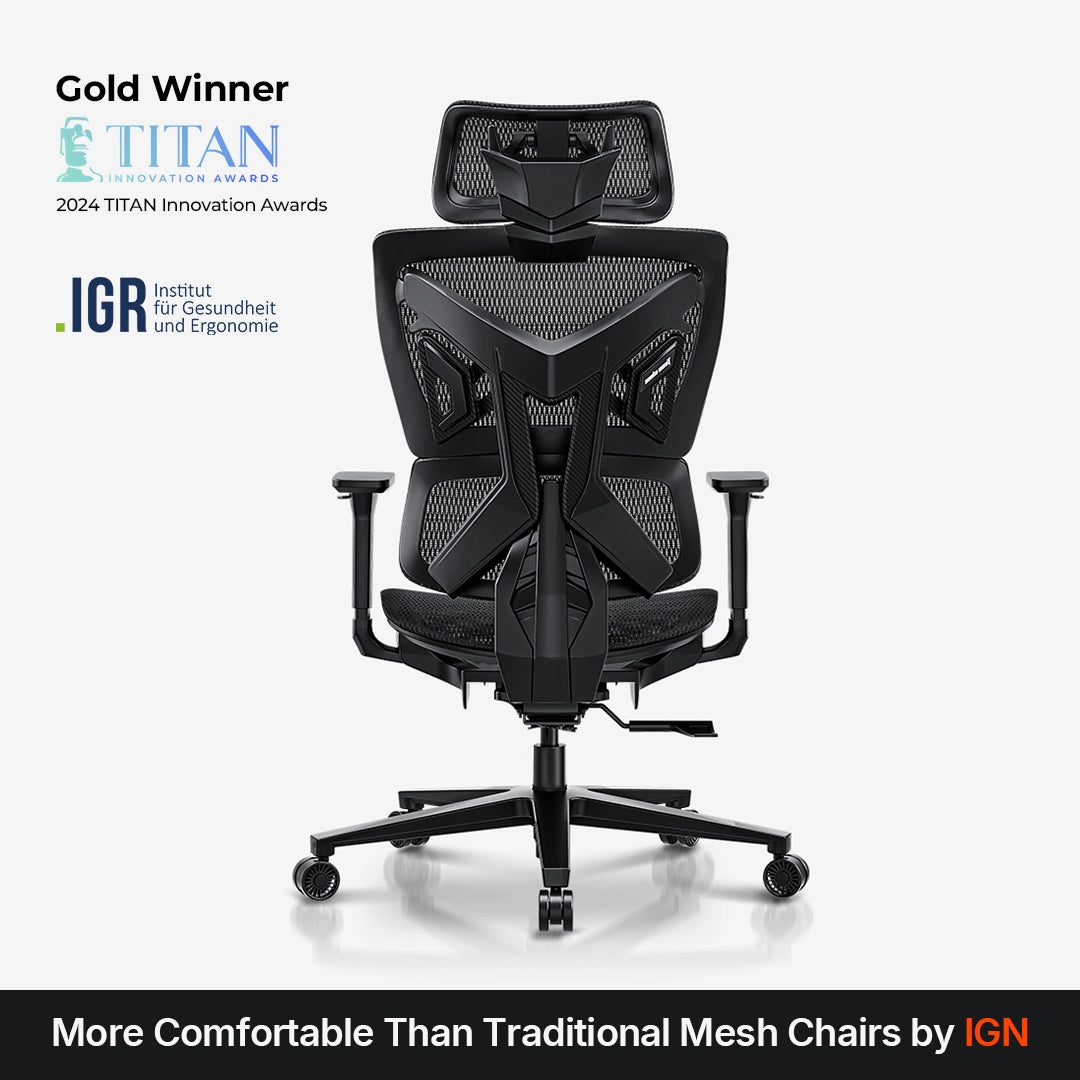
AndaSeat X-Air: Best Breathable Office Chair
- Back Support: C-shaped dynamic lumbar
- Material: All-mesh seat, backrest, and headrest
- Recline: 105°–126°
- Adjustability: 4D armrests, 3D headrest, seat height and backrest height adjustment
- Weight Capacity: Up to 265 lbs
- Price: $399.00 USD
If you spend long hours working and gaming at the same desk, the AndaSeat X-Air offers a different approach to back support. Its all-mesh design keeps airflow moving through the seat, backrest, and headrest, which can be particularly useful for users who find traditional upholstered chairs too warm during extended sitting. The C-shaped dynamic lumbar support also responds to different sitting positions, while the pressure-relieving seat edges help reduce pressure around the thighs.
In our testing, the X-Air felt more open and breathable than a traditional padded gaming chair, making it a practical choice for long periods of work as well as gaming. Its adjustable backrest, armrests, headrest, and seat height also make it easier to fine-tune the chair to your workstation. For users looking for the best office chair for lower back pain who prioritize breathability, flexible back support, and a work-and-gaming setup, the X-Air is a strong option at $399.
Herman Miller Aeron: A Premium Office Chair
- Back Support: Adjustable lumbar and sacral support
- Material: Zoned breathable mesh
- Recline: Adjustable tilt limiter with forward seat angle
- Sizing: Three sizes — A, B, and C
- Armrests: Adjustable
- Price: $2,150.00 USD
The Herman Miller Aeron takes a more traditional ergonomic approach to long-hour sitting. Its zoned mesh seat and back allow airflow while distributing support across different areas of the body, and the adjustable lumbar system supports both the sacrum and lower back. Its three-size design also provides a more structured approach to fit, although choosing the right size is particularly important because the seat depth is not adjustable.
In our testing, the Aeron performed well for users who prefer firm, breathable support and frequent posture changes rather than a heavily cushioned seat. Its smooth recline and adjustable arms make it well suited to extended desk work, but the firm mesh and premium $2,150 price will not suit everyone. For users seeking a high-end ergonomic chair for back pain and prioritizing breathability, long-term support, and build quality, the Aeron is a strong option, provided its fit and firmer seating feel work for you.
How to Improve Your Sitting Setup if You Have Back Discomfort
A supportive chair can make a difference, but your overall sitting setup also affects how your back feels during long gaming or working sessions. A few adjustments can help you get more from your current setup, whether you are ready to upgrade your chair or not.
Invest in a Better Chair and Optimize Your Setup
If your current chair lacks adequate support or does not fit your body well, upgrading to a properly sized gaming or office chair can be a practical place to start. Look for adjustable lumbar support, suitable seat height and depth, and enough recline to let you change positions. Once you have the right chair, set your seat height, lumbar support, armrests, and recline to match your body, and keep your monitor and desk at a comfortable height to avoid leaning forward for extended periods.
Make Your Current Chair More Comfortable Without Buying a New One
You may be able to improve an existing chair with a few simple changes. A lumbar cushion can fill an uncomfortable gap in the backrest, while a seat cushion can add support if the seat feels too firm. Adjusting your desk or monitor can also reduce the need to lean forward. Most importantly, change positions and get up regularly rather than relying on a chair to make hours of uninterrupted sitting comfortable.
These adjustments can improve your sitting experience, but persistent or severe back discomfort may require attention beyond changing your chair or workstation.
Conclusion: Choosing the Best Gaming Chair for Back Pain
There is no single chair that works best for every type of back discomfort. A better choice starts with the right fit, adjustable lumbar support, balanced seat support, and enough flexibility to change positions during long gaming or working sessions. Your desk setup and sitting habits also matter, so a chair should be viewed as one part of a more complete sitting solution rather than a fix for an underlying back condition.
For gamers who want a dedicated gaming chair with more adjustable back support, the AndaSeat Kaiser 4 is our top pick thanks to its adjustable pop-out lumbar, supportive seat, size options, and flexible recline. For those who spend more time working at their desk or prefer a cooler, more open seating experience, the AndaSeat X-Air offers an all-mesh alternative with dynamic lumbar support. Ultimately, the best choice is the one that fits your body, your daily activities, and the way you prefer to sit.
FAQs About Gaming Chairs for Lower Back and Hip Pain
What is the best chair for back pain?
There is no single best chair for back pain because comfort and support depend on your body, sitting habits, and daily activities. Some users may prefer an ergonomic office chair with flexible support, while others may benefit from a gaming chair with adjustable lumbar support, a suitable seat fit, and a flexible recline.
Can a gaming chair help with back pain?
A well-fitted gaming chair with appropriate lumbar support can provide better support and make prolonged sitting more comfortable. However, a chair cannot treat the underlying cause of back pain, and persistent or severe discomfort should be addressed with an appropriate healthcare professional.
What should I look for in a gaming chair lumbar support?
Look for a gaming chair lumbar support system that is built into the chair and offers useful adjustment, particularly in height and depth. It should maintain consistent support as you change positions rather than relying entirely on a loose pillow that can shift during use.
Is a gaming chair better than an office chair for back pain?
Neither is automatically better. A gaming chair may suit users who want adjustable lumbar support, deeper recline, and a gaming-focused setup, while an ergonomic office chair may be preferable for users who spend most of their day working and prefer breathable materials and more flexible upright support. The right choice ultimately comes down to fit, adjustability, and how you use the chair.